Space Dust Scanner
See exactly what is eating your Mac disk space. Scans caches, large files, app remnants, developer artifacts, and startup items. Free and read-only.
Download Space Dust Scanner
Choose your version

Tech Stack
Screenshots
About This Project
A free system diagnostic tool for macOS. Scans your Mac for caches, large files, app remnants, developer artifacts, and startup items - then shows you exactly what is taking up space. Never deletes or modifies anything. Works perfectly alongside Space Dust Cleaner.
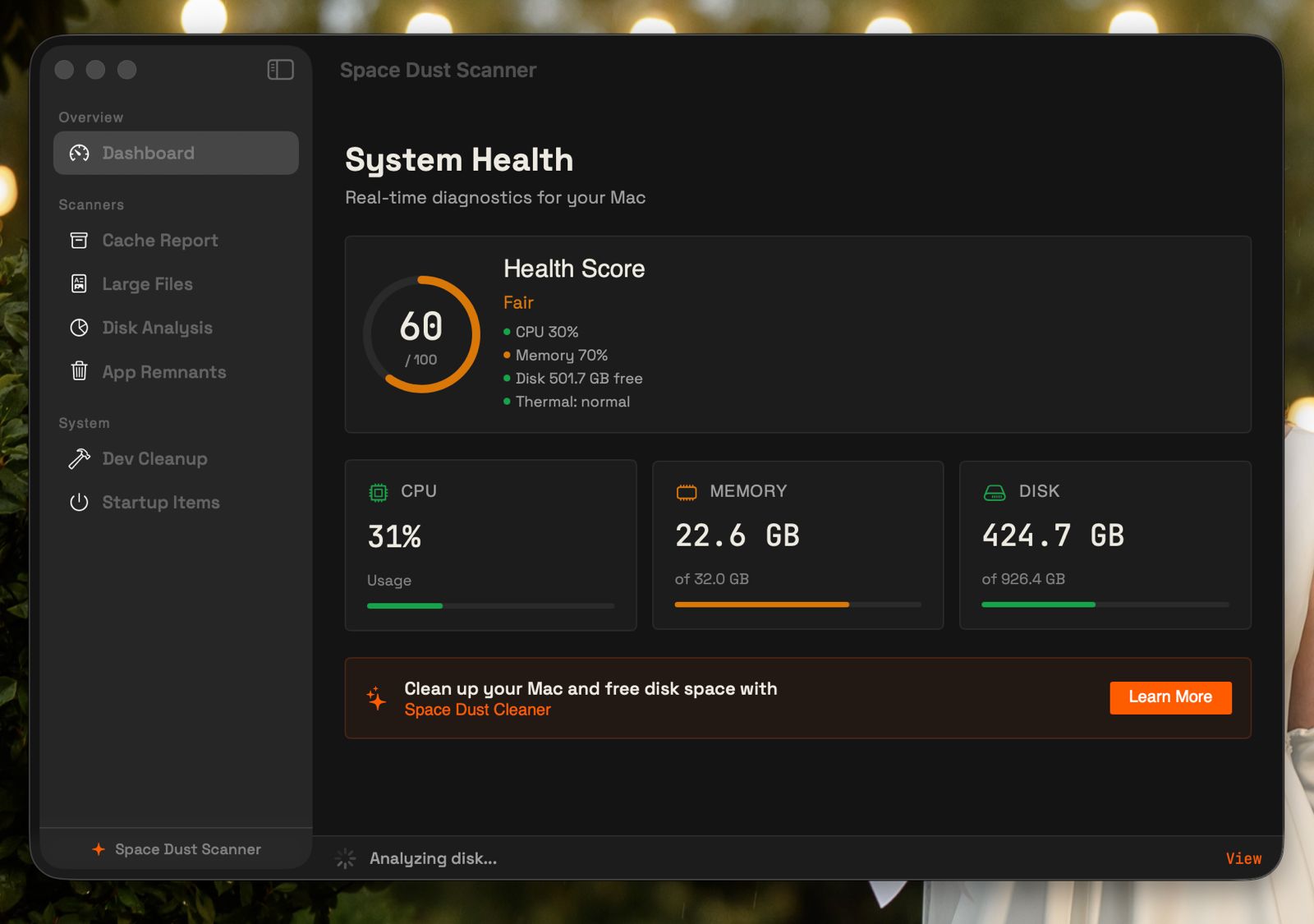
System Health Dashboard
Live CPU, memory, disk, and thermal monitoring with a weighted health score.
Cache Report
Per-app cache size breakdown from ~/Library/Caches.
Large File Finder
Finds files 100 MB and larger across your home directory.
Disk Analysis
Directory-level disk usage breakdown with live streaming progress.
App Remnants
Detects orphaned data left behind by deleted apps.
Developer Leftovers
Finds 30+ types of build artifacts and dependency caches.
Startup Items Audit
Lists Launch Agents from user and system directories.
Menu Bar Extra
At-a-glance system stats in the menu bar.
Also Includes
- ✔ Scan cancellation with cooperative cancellation token
- ✔ Scan history with sparkline trend charts
- ✔ macOS notifications when scans complete in background
- ✔ 9-language support with in-app language picker
- ✔ Launch at Login via SMAppService
Want to fix what Scanner found?
Scanner shows the problems. Space Dust Cleaner fixes them - cache cleaning, app uninstalling, system optimization, and more.
Support & Feedback
FAQ
Log in to submit feedback, vote, and comment.
No feedback items yet.
Be the first to submit feedback for this project.